

How to Check Your ATS Resume Score and Improve Your Match Before Applying
You're qualified, but your applications go unanswered. Here's how to check your ATS resume score against a specific job, why qualified candidates still get filtered out, and the highest-impact fixes to improve your match before you apply.
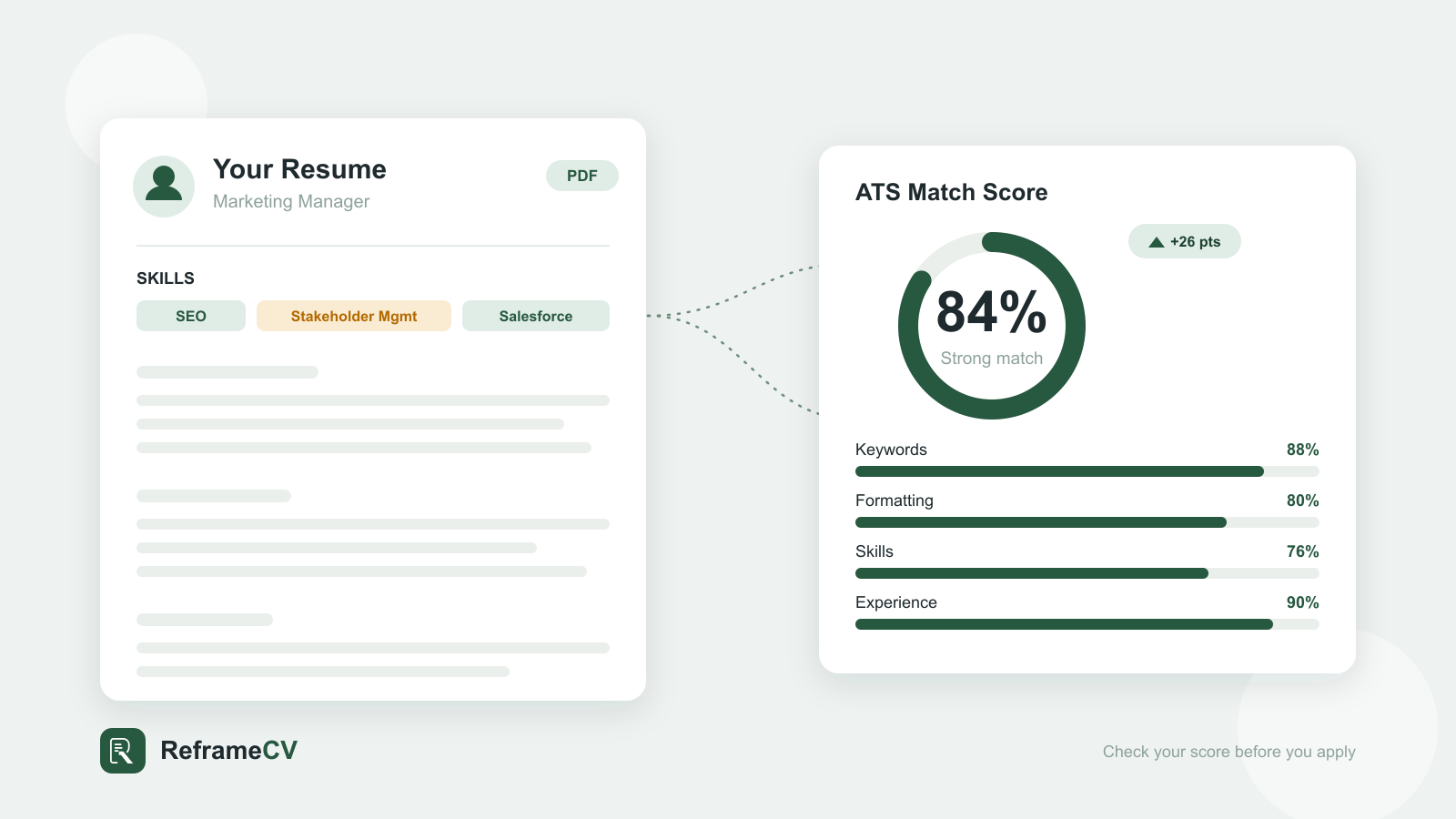
You've sent out 40 applications. Maybe more. You're qualified — you can do these jobs in your sleep — and yet your inbox stays empty. No rejections, no interviews, just silence.
It's one of the most demoralizing parts of a job search, because you're not getting feedback. You're applying into a void.
Here's what's usually happening: before a human ever reads your resume, software decides whether it's worth passing along. That software scores your resume against the job — and most candidates have no idea what their number is, or that one even exists. Worse, the people getting filtered out aren't always the least qualified. They're the ones whose resumes don't look like a match to the software, even when they'd be perfect for the role.
The fix isn't a better template or a longer resume. It's understanding what the system is actually measuring. You can check your ATS resume score in a couple of minutes, and the handful of issues that drag most resumes down are quick to correct once you know where to look — well before you hit "Apply."
What Is an ATS Resume Score?
An Applicant Tracking System (ATS) is the software companies use to collect, organize, and filter the flood of applications they receive. When you click "Apply," your resume almost always lands in one of these systems first — Greenhouse, Workday, Lever, Taleo, iCIMS, and others.
Your ATS resume score is a measure of how well your resume matches a specific job, based on what that system can read and how closely your content lines up with the role's requirements. Most checkers express it as a percentage or a number out of 100.
Let's clear up the biggest myth right away: ATS systems do not automatically reject your resume. That fear gets repeated everywhere, but it's mostly wrong. In reality, recruiters use the ATS to search and sort candidates — typically by keywords, skills, and qualifications tied to the job. If your resume doesn't surface in those searches, or ranks far down the pile, a recruiter simply never sees it. You weren't rejected. You were never found.
So a low score doesn't mean a robot threw you out. It means your resume isn't matching the job clearly enough to get in front of a person.
How ATS Systems Score Your Resume
To understand your score, it helps to know what these systems actually exist to do — and how they evaluate what you send.
Why ATS systems exist
A single corporate opening can attract hundreds of applicants. No recruiting team can read every resume closely. The ATS exists to make that volume manageable: it parses each resume into structured data (name, work history, skills, education) and lets recruiters filter and rank candidates against the role.
That distinction changes everything. The system isn't trying to reject you. It's trying to find the people who clearly match — which means your job is to make that match impossible to miss.
How they evaluate your resume
Most scoring comes down to three things:
- Parse rate (can it read you?) — Before anything else, the ATS has to convert your file into clean text through resume parsing. Tables, multi-column layouts, text boxes, graphics, and information buried in headers or footers can scramble this. If the system can't read a section, that experience effectively doesn't exist.
- Keyword and skills match (do you fit this job?) — The system compares your resume against the job description using keyword matching. It looks for the specific skills, tools, titles, and qualifications the role calls for. This is usually the single biggest driver of your score.
- Structure and relevance (is it organized the way it expects?) — Standard section headings, a clear skills section, and recognizable formatting help the system map your experience correctly.
Notice that two of these three are about matching a particular job, not about your resume in the abstract. This is why the same resume can score 85% for one role and 50% for another. There is no universal score — only a score relative to a job.
How to Check Your ATS Resume Score
You don't have to guess. Here's how to get a real number in a few minutes:
- Find the exact job you're targeting. Copy the full job description — not a similar one, the actual posting you plan to apply to. Your score only means something when it's measured against a specific role.
- Run your resume through an ATS resume checker. Upload your current resume and paste in the job description. The tool compares the two and returns a match score, usually with a breakdown.
- Read the breakdown, not just the number. A good checker tells you why you scored what you did: which keywords are missing, which skills aren't represented, and what formatting might be tripping up the parser.
- Fix the highest-impact gaps first (we'll cover these next), then re-run the check to confirm the score moved.
One caveat worth knowing: different tools give different scores for the same resume. That's not a bug — each tool weights the factors differently (one might count keyword coverage as 40% of the score, another runs dozens of granular checks). So don't chase a perfect number on any single tool. Treat the score as a direction, and act on the specific issues it surfaces. Those are what actually change your odds of getting read.
This is also where most people get stuck. Knowing what to fix is easy; doing it well, for every job, by hand, is where the work falls apart — which is the problem we'll solve in the second half of this guide.
5 Quick Ways to Improve Your ATS Resume Score
Here are the five fixes that move your score the most, roughly in order of impact. None of them takes long — you can work through the whole list before you submit your next application.
Match Keywords From the Job Description
This is the big one. If the posting asks for "project management," "stakeholder communication," and "Salesforce," your resume should use those exact phrases — assuming they're true for you.
The trap many qualified people fall into is using their own vocabulary instead of the employer's. You wrote "managed client relationships"; the job says "stakeholder management." A human knows those are the same. The ATS isn't always so sure.
- Pull the recurring skills, tools, and titles from the job description.
- Mirror that exact language where it honestly applies to your experience.
- Spell out acronyms at least once — "Search Engine Optimization (SEO)" — so you match both versions.
Never invent skills you don't have. Matching resume keywords is about translating your real experience into the employer's words, not keyword stuffing.
Optimize Your Resume Formatting
If the system can't read it, your keywords don't count. Use ATS-friendly formatting to make your resume easy to parse:
- Use a simple, single-column layout. Avoid tables and text boxes for important content.
- Keep critical information out of headers and footers.
- Use standard, web-safe fonts (Arial, Calibri, Georgia, Times New Roman).
- Stick to standard bullet points — plain circles, not arrows, checkmarks, or icons.
- Save and submit as a
.docxor a text-based PDF, not an image or scan.
Highlight Relevant Skills and Experience
Most ATS systems specifically look for a Skills section, so give them one. List the hard skills and tools that match the role, and make sure your most relevant experience is near the top where it gets noticed first.
For your work history, lead with accomplishments, not duties — and quantify when you can. "Increased email open rates by 32% over two quarters" carries far more weight than "responsible for email campaigns," for both the software and the human who reads it next.
Remove Unnecessary Information
Clutter dilutes your match. Trim anything that isn't earning its place:
- Unrelated jobs from 15 years ago that don't support this application.
- Generic filler objective statements ("seeking a challenging role…").
- Personal details, photos, and graphics that add no signal and can break parsing.
A focused resume reads as a stronger match than a padded one.
Tailor Your Resume for Each Application
This is the habit that ties everything together — and the one most people skip because it's tedious. Resume tailoring tuned for one role will score poorly on the next, because the keywords and priorities are different.
Sending the same generic resume everywhere is the single most common reason qualified candidates get filtered out. Tailoring isn't a nice-to-have — it's the difference between getting found and getting buried.
Why Job-First Resume Optimization Works Better
Now for the honest part: every fix above is simple to understand and genuinely tedious to do well.
Optimizing a resume by hand means reading a dense job description, working out which of its dozens of phrases actually carry weight, comparing them against your own resume line by line, and rewriting your experience to match — without sounding robotic or stretching the truth. Then you do it all again for the next job. And the next.
That's why most people quietly give up on it. They either burn out and start sending the same resume everywhere, or they over-correct, cram in keywords, and end up with a resume that reads like a word cloud. Neither gets more interviews.
The deeper issue is the order of operations. Traditional resume builders start with you: you fill in a template, generate a polished but generic document, and then hope it happens to fit the jobs you apply to. You're optimizing against nothing in particular.
A job-first approach flips that. You start with the job description — the exact thing you're being measured against — and build the resume to match it. Instead of writing a resume and hoping it fits, you define the target first and shape the resume to hit it. That's not only less work; it's the same logic the ATS uses to score you, applied in your favor.
How ReframeCV Helps Improve Your ATS Resume Score
That job-first logic is exactly how ReframeCV works — and it's the part of the process most people don't have the time or patience to do by hand.
Instead of starting from a blank template, you start from the job you actually want. You paste in the target job description, and the ATS Score & Optimization feature runs the line-by-line comparison for you:
- Compares your resume against the target job description, so your score reflects the role you're really applying to — not a generic average.
- Identifies missing keywords and important skills the posting asks for and your resume doesn't yet show.
- Surfaces concrete optimization opportunities — the specific, high-impact changes that will move your match score, ranked so you fix the things that matter first.
- Lets you apply improvements with one-click suggestions, so you can act on the feedback in minutes instead of rewriting your resume by hand.
The point isn't to game the system or chase a perfect number. It's to replace guesswork with a clear picture: instead of wondering what ATS systems want, you can see precisely how your resume matches a given job and what to change — then make those changes in minutes rather than an afternoon.
That's what breaks the cycle you started in. You stop firing the same resume into the void and start sending one that visibly fits each role, every time you apply.
Frequently Asked Questions
Do ATS systems automatically reject resumes?
Generally, no. They parse and rank resumes so recruiters can search and filter them. A low match score usually means your resume never surfaces in the recruiter's search — not that a bot deleted it.
What's a good ATS resume score?
It varies by tool, but a strong match against a specific job is typically around 80% or higher. Treat the number as a guide and focus on closing the specific gaps the checker points out.
Why does every ATS checker give me a different score?
Each tool weights factors differently — some emphasize keyword coverage, others run dozens of granular formatting and content checks. Use the score for direction, not as an absolute grade, and pay attention to the specific issues it flags.
Is checking your ATS resume score free?
Many checkers offer a free score. The more useful question is whether the tool tells you how to improve it — not just what your number is.
How often should I tailor my resume?
Ideally for every application. The keywords and priorities change with each job, so a resume optimized for one role rarely scores well on another.
Stop guessing why your applications go unanswered. See exactly how your resume matches the job — and what to fix.
Upload your current resume to ReframeCV and see your score instantly.